

Introduction: Why Bank Statement Converter Tools Matter in 2025
Every finance professional, accountant, and lender faces the same challenge: extracting transaction data from PDF bank statements. Manual data entry is slow, error-prone, and doesn't scale.
Bank statement converter tools use AI and OCR to automatically transform PDF statements into structured Excel, CSV, or JSON data—eliminating manual work and reducing errors.
With dozens of options available, how do you choose the right one? This guide compares the top bank statement converter tools in 2025, analyzing features, accuracy, pricing, and ideal use cases.
What to Look for in a Bank Statement Converter
| Factor | Why It Matters |
|---|---|
| Accuracy | Even a significant portion error rate means 10 wrong transactions per 1,000 |
| Format Support | Digital PDFs, scanned documents, various banks |
| Output Formats | Excel, CSV, QuickBooks (QBO), JSON |
| Processing Speed | Single and batch processing capability |
| Pricing | Per-page, monthly subscription, or free options |
| Ease of Use | Simple upload interface, minimal learning curve |
Top Bank Statement Converter Tools Compared
Quick Comparison Table
| Feature | Statement Extract | DocuClipper | BankStatementConverter.com | Formula Bot | Nanonets |
|---|---|---|---|---|---|
| Best For | US Lenders & Fintechs | Accountants & Bookkeepers | Small businesses | Casual users | Workflow automation |
| Claimed Accuracy | high-precision | high-precision | Not specified | Not specified | High |
| Free Tier | Yes | 14-day trial (200 pages) | 3-5 free pages/day | Limited free | 500 free pages |
| Pricing From | Flexible | $39/month | $29/month | Free + $18/mo | $0.30/page |
| Output Formats | Excel, CSV, JSON | Excel, CSV, QBO, OFX | Excel, CSV | Excel, CSV | Excel, CSV, JSON |
| Batch Processing | Yes | Yes | Yes (paid) | Limited | Yes |
| API Available | Yes | Yes | No | No | Yes |
1. DocuClipper
Best for: Accountants and bookkeepers needing QuickBooks integration
Overview
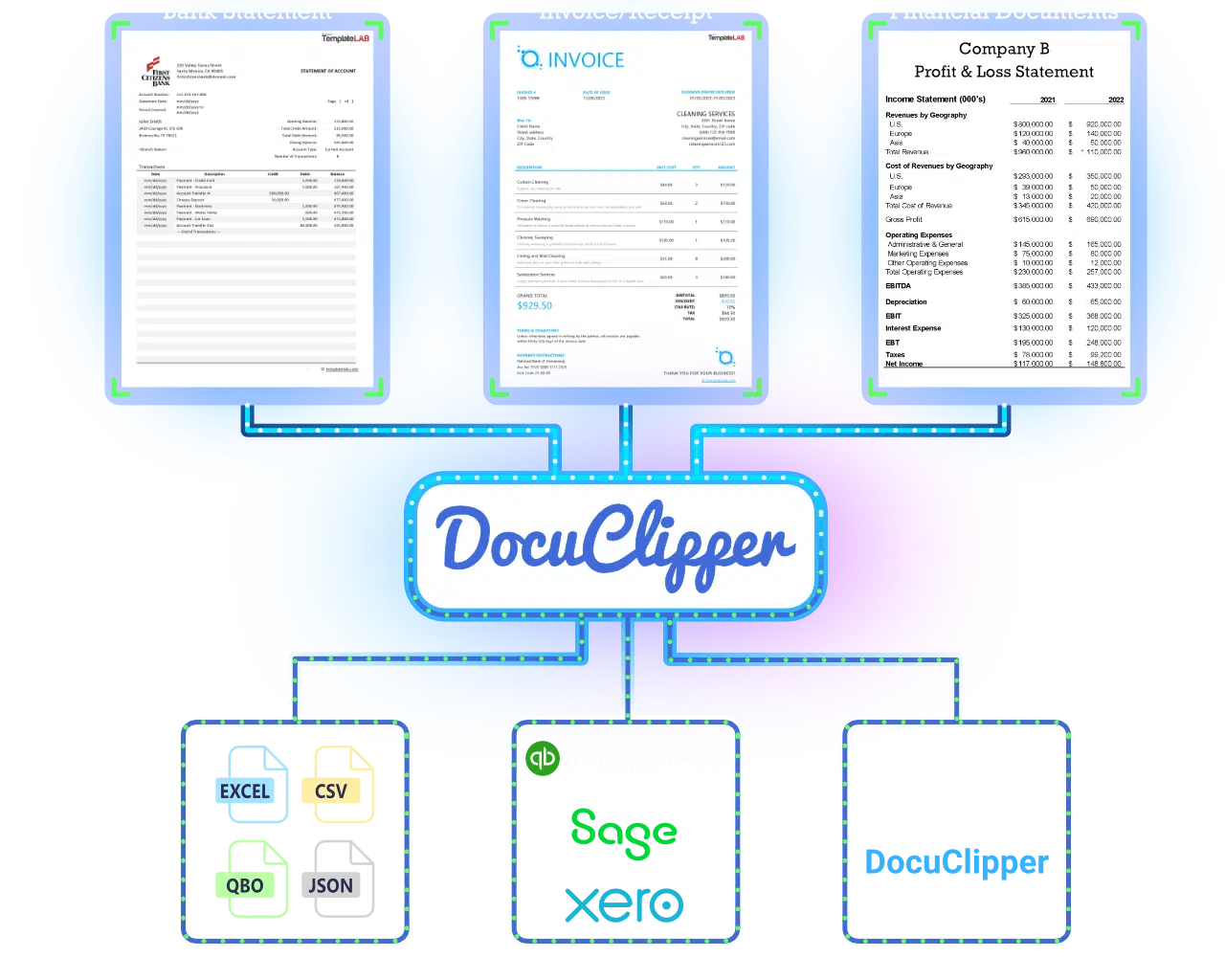
DocuClipper is ranked #1 on G2 for bank statement conversion with a 4.8/5 rating. It's specifically designed for accounting professionals who need to import data into QuickBooks, Xero, and other accounting software.
Key Features
- high-precision accuracy on bank statements (claimed)
- QuickBooks integration – Direct export to QBO format
- Supports bank statements, credit card statements, and invoices
- Batch processing for multiple statements
- Multi-account recognition within single PDFs
- Transaction categorization
Pricing
| Plan | Price | Pages/Month |
|---|---|---|
| Starter | $39/mo ($27 annual) | 200 pages |
| Professional | $74/mo ($59 annual) | 500 pages |
| Business | $159/mo ($99 annual) | 2,000 pages |
| Enterprise | Custom | Custom |
14-day free trial with 200 pages included.
Pros and Cons
Pros:
- High accuracy (high-precision claimed)
- Excellent QuickBooks/Xero integration
- Supports multiple document types
- Strong G2 reviews (4.8/5)
Cons:
- Relatively expensive for low-volume users
- 30-day data retention on lower plans
- Free trial limited to 10 transaction exports
2. BankStatementConverter.com
Best for: Small businesses and freelancers needing basic conversion
Overview
BankStatementConverter.com is one of the oldest players in this space, offering a straightforward PDF to Excel conversion service. It ranks highly for the generic "bank statement converter" search term.
Key Features
- Convert PDF bank statements to Excel or CSV
- Support for thousands of bank formats worldwide
- Simple drag-and-drop interface
- Lifetime deal option available
Pricing
| Plan | Price | Pages/Month |
|---|---|---|
| Free (unregistered) | $0 | 1 page/day |
| Free (registered) | $0 | 3-5 pages/day |
| Basic | $29/mo | 400 pages |
| Pro | $59/mo | 1,000 pages |
| Business | $99/mo | 4,000 pages |
Pros and Cons
Pros:
- Free option available
- Simple interface
- Lifetime deal option
- Lower pricing than DocuClipper
Cons:
- Mixed reviews (3.1/5 on Trustpilot)
- Accuracy not clearly specified
- No API for integration
- Limited automation features
3. Formula Bot
Best for: Casual users needing occasional free conversions
Overview
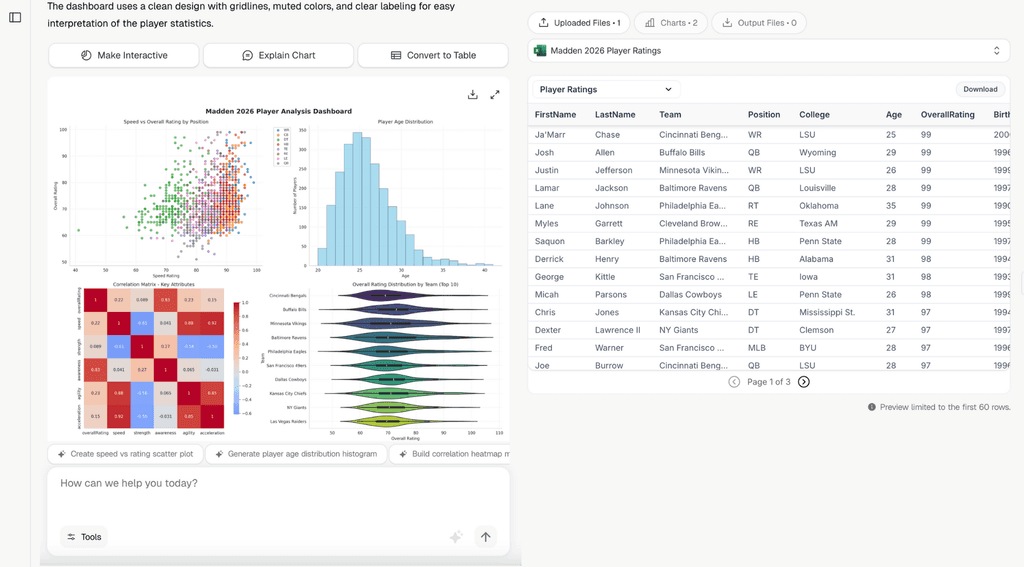
Formula Bot is primarily an AI spreadsheet tool that includes a free bank statement converter as one of its features. Good for users who need occasional conversions without paying.
Key Features
- Free bank statement converter included
- AI-powered data extraction
- Handles scanned documents
- Exports to Excel, CSV, QBO, JSON
Pricing
- Free tier: Limited conversions (3/day reported)
- Starter: $18/month (broader Formula Bot access)
- Pro: $29/month
- Max: $55/month
Pros and Cons
Pros:
- Free for basic use
- No sign-up required for basic conversions
- Multiple output formats
Cons:
- Bank statement converter is secondary feature
- Accuracy not specified
- Limited support for complex statements
- No dedicated API
4. Nanonets
Best for: Developers and teams needing workflow automation
Overview

Nanonets is a broader document processing platform with bank statement conversion capabilities. It's designed for teams that need to automate document workflows beyond just conversion.
Key Features
- Pre-built bank statement extraction model
- Workflow automation – Auto-import from email, Drive, Dropbox
- No-code interface for building pipelines
- Integration with 5,000+ apps via Zapier
- Currency and date format auto-detection
Pricing
| Plan | Price | Details |
|---|---|---|
| Free | $0 | First 500 pages |
| Pay-as-you-go | $0.30/page | After free tier |
| Pro | ~$499/mo | Higher volumes |
| Enterprise | Custom | Custom volume |
Pros and Cons
Pros:
- Strong workflow automation
- 500 free pages generous
- Easy integration with other tools
- No-code pipeline builder
Cons:
- Expensive at scale ($0.30/page adds up)
- High accuracy (lower than specialized tools)
- Overkill for simple conversion needs
- Steeper learning curve
5. Statement Extract
Best for: US mortgage lenders, fintech companies, and high-accuracy needs
Overview

Statement Extract is purpose-built for the US financial services market. Unlike general-purpose converters, it focuses exclusively on bank statements with features designed for lending and accounting workflows.
Key Features
Template-Free AI Extraction Statement Extract uses Intelligent Document Processing that understands the meaning of financial data—not just its position. Works with any US bank format without template setup.
Accuracy with Validation Every extraction includes automatic mathematical validation:
- Opening balance + deposits - withdrawals = closing balance
- Flagged for review if numbers don't reconcile
- Learn more: How we achieve high-precision accuracy
Comprehensive Data Extraction
- Account holder and bank information
- Statement period and balances
- Complete transaction history
- Cash flow metrics for underwriting
Integration Options
- REST API for custom integration
- Webhook notifications
- Export to Excel, CSV, JSON
Ideal Use Cases
- Mortgage lenders needing income verification and cash flow analysis\n- Self-employed borrowers preparing bank statement mortgage documentation
- Accounting firms processing client statements for bookkeeping automation
- Fintech platforms requiring high-accuracy extraction
- Businesses tired of unreliable converters
Pricing
Flexible, volume-based pricing. Get started here.
Pros and Cons
Pros:
- Purpose-built for US bank statements
- Mathematical validation built-in
- API available for integration
- Template-free extraction
Cons:
- Focused on US market
- Newer platform (building track record)
Feature Comparison: Deep Dive
Accuracy Comparison
| Solution | Claimed Accuracy | Validation Method |
|---|---|---|
| Statement Extract | high-precision | Balance reconciliation |
| DocuClipper | high-precision | Not specified |
| BankStatementConverter | Not specified | Not specified |
| Formula Bot | Not specified | Not specified |
| Nanonets | High | Manual review workflow |
Key Insight: Look for tools with automatic validation, not just accuracy claims. Statement Extract verifies every extraction mathematically.
Pricing Comparison (200 pages/month)
| Solution | Monthly Cost | Per-Page Cost |
|---|---|---|
| Statement Extract | Flexible | Varies |
| DocuClipper | $39 | $0.20 |
| BankStatementConverter | $29 | $0.07 |
| Formula Bot | Free (limited) | Free |
| Nanonets | $60 | $0.30 |
Output Format Support
| Solution | Excel | CSV | QuickBooks | JSON | API |
|---|---|---|---|---|---|
| Statement Extract | Yes | Yes | — | Yes | Yes |
| DocuClipper | Yes | Yes | Yes (QBO) | — | Yes |
| BankStatementConverter | Yes | Yes | — | — | No |
| Formula Bot | Yes | Yes | Yes | Yes | No |
| Nanonets | Yes | Yes | — | Yes | Yes |
How to Choose the Right Tool
Decision Framework
Choose Statement Extract if:
- You process US bank statements primarily
- Accuracy is critical (lending, auditing)
- You need API integration
- You want mathematical validation
Choose DocuClipper if:
- You need QuickBooks/Xero integration
- You're an accounting professional
- You process multiple document types
- G2 reviews matter to your procurement
Choose BankStatementConverter.com if:
- You need basic, affordable conversion
- Low volume (under 400 pages/month)
- Simple needs without integration
- Budget is the primary concern
Choose Formula Bot if:
- You need occasional free conversions
- You don't need advanced features
- Accuracy isn't critical
- You already use Formula Bot for spreadsheets
Choose Nanonets if:
- You need workflow automation beyond conversion
- You want to build document processing pipelines
- You use Zapier integrations heavily
- You're comfortable with technical setup
Common Questions
Q1: What is a bank statement converter?
A bank statement converter is a tool that extracts data from PDF bank statements and converts it into structured formats like Excel or CSV. This eliminates manual data entry for accounting, analysis, and import into financial software.
Q2: Which bank statement converter is most accurate?
DocuClipper claims high-precision accuracy. Statement Extract offers high-precision with built-in mathematical validation. Accuracy varies based on document quality—digital PDFs are more accurate than scanned documents.
Q3: Are there free bank statement converters?
Yes. Formula Bot offers free conversions with limitations. BankStatementConverter.com offers 3-5 free pages per day. Nanonets offers 500 free pages. Most tools offer free trials.
Q4: Can I convert scanned bank statements?
Most modern tools handle scanned documents using OCR. However, accuracy is typically lower for scans (around High) compared to digital PDFs (high-precision). Scan quality significantly impacts results.
Q5: Which tool works with QuickBooks?
DocuClipper has the best QuickBooks integration with direct QBO export. Formula Bot also supports QBO format. Statement Extract exports to CSV which can be imported into QuickBooks.
Q6: Do I need an API?
If you're building a product or need automated processing, yes. Statement Extract, DocuClipper, and Nanonets offer APIs. BankStatementConverter.com and Formula Bot do not.
Q7: How much do bank statement converters cost?
Prices range from free (with limitations) to $159+/month for high-volume plans:
- Free: Formula Bot, Nanonets (500 pages)
- Budget: BankStatementConverter.com ($29/mo)
- Mid-range: DocuClipper ($39-74/mo)
- Enterprise: Custom pricing available
Q8: Which converter is best for accountants?
DocuClipper is designed specifically for accountants with QuickBooks/Xero integration and transaction categorization. Statement Extract is also strong for accounting firms needing high accuracy.
Conclusion
The best bank statement converter depends on your specific needs:
| Use Case | Recommended Tool |
|---|---|
| High accuracy for lending | Statement Extract |
| QuickBooks integration | DocuClipper |
| Budget-conscious | BankStatementConverter.com |
| Occasional free use | Formula Bot |
| Workflow automation | Nanonets |
Most tools offer free trials—test 2-3 options with your actual documents before committing.
Related Resources
- Bank Statement Converter: Free PDF to Excel – Our free converter tool
- How to Convert Bank Statements to Excel – Step-by-step guide
- IDP vs OCR Technology Explained – Understanding extraction technology
- AI PDF Data Extraction Tools Comparison – Best tools for accountants
- high-precision Accurate Extraction Methods – How accuracy is achieved
- Template-Free AI Extraction – Why templates are outdated
- Bank Statement Analysis for Lending – Automation for lenders
Ready to convert your bank statements?
Try Statement Extract → Try StatementExtract for Free Today


